

You do not need design experience, a printed card or an NFC device to create a professional digital business card. If you already know which contact details and links you want to share, a simple free digital business card can be ready in around five minutes. More detailed branding can always be added later. The […]
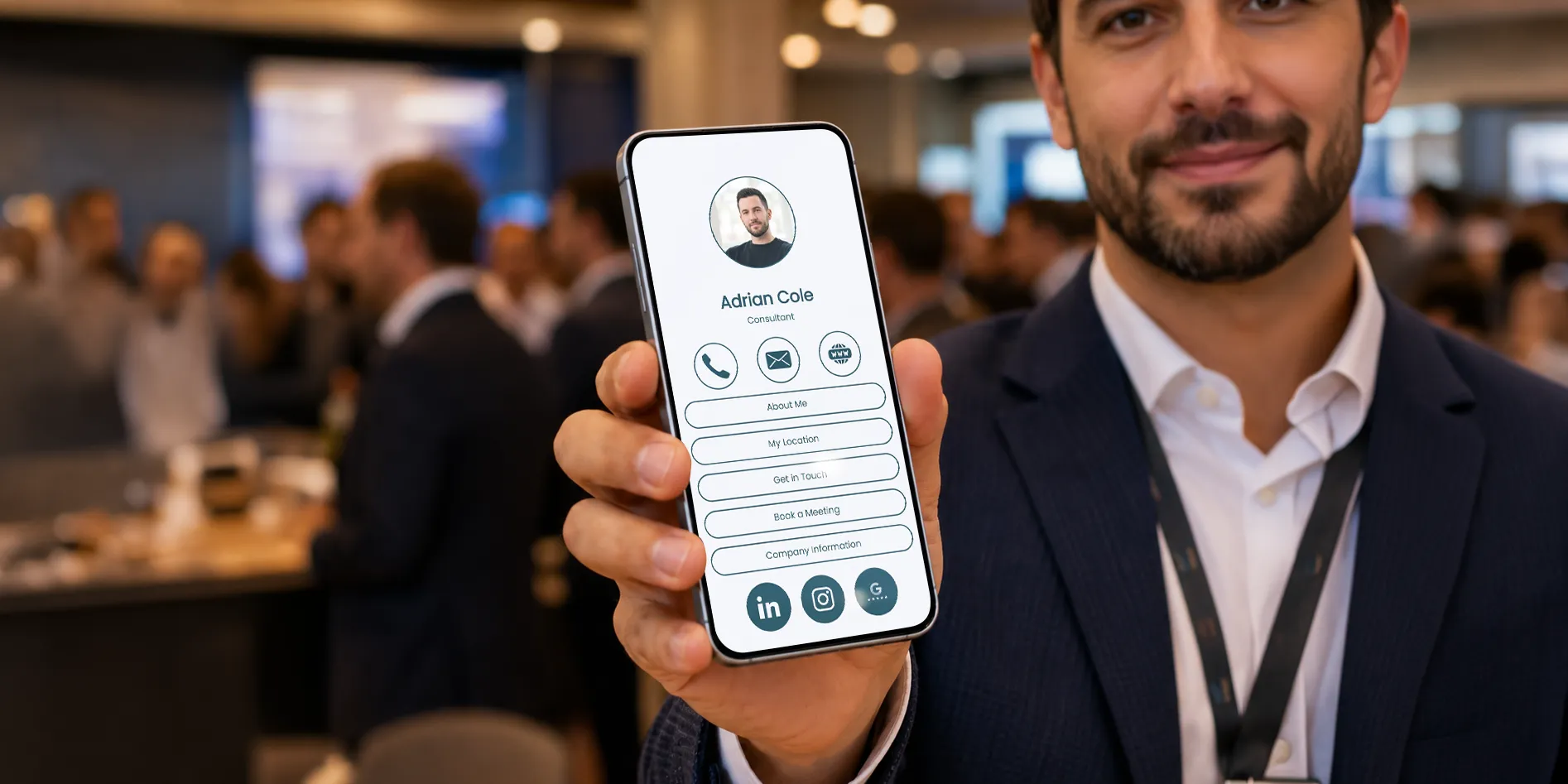
You do not need design experience, a printed card or an NFC device to create a professional digital business card. If you already know which contact details and links you want to share, a simple free digital business card can be ready in around five minutes. More detailed branding can always be added later.
The goal is not to fill the profile with everything at once. It is to create a clear, useful page that tells people who you are, how to contact you and what they should do next. If you want a quick overview before you begin, read what a digital business card is and how it works.
Preparing a few items in advance makes the process much faster. Have your name, role or profession, company name, phone number, email address and website ready. Choose one good profile photo or your company logo, and decide which social media or portfolio links are genuinely useful to the people who will receive your card.
It also helps to choose one main action. Do you want visitors to call you, book a meeting, view your work, visit your store or follow you online? This decision will help you order the profile correctly instead of creating a long list of unrelated buttons.
Open Fulpio in your browser or app and create an account. Then choose one of the preset designs. Your choice sets the visual direction only: when the profile opens, its content is empty, and Fulpio does not insert a sample name, contact details or prefilled blocks.
When you add your first content blocks, they automatically inherit the colors, fonts, button styles and other settings of the selected design. You get a coordinated look without having to delete placeholder content, and every design setting can still be changed later. For a fuller overview, see the digital profile guide.

Enter your name, role and company, then add the contact methods you actually want people to use. A phone number and email address are the usual starting point, but your website or location may be more important for your work.
Keep the first screen easy to understand. Your photo, name and role should immediately confirm that the visitor has opened the right profile. Avoid long introductions before the essential contact options.

Now add the most valuable links: your website, LinkedIn, portfolio, booking page, online store, menu or another destination relevant to your work. Use clear button labels such as “View my portfolio”, “Book a meeting” or “See current listings”. A visitor should understand what will happen before tapping.
You do not need to add every social network you own. Two or three relevant links are more helpful than ten empty or rarely updated profiles.
Adjust the colors, typography, button shapes and images so they match you or your brand, then check that every line remains easy to read. Consistent styling makes even a simple profile look intentional and professional.
The preset digital business card designs give every new block a coordinated starting look. You are still free to change individual colors, fonts, shapes and images, so the final profile can reflect your own identity.

Open the mobile preview and tap every important button. Check the phone number, email address, website and social links. A polished design cannot compensate for a broken link or an incorrect digit in your number.
The Fulpio app lets you create and manage the profile from the web or a mobile device. When everything works, copy your unique link or show the profile’s QR code. You can share the same profile in a message, email signature, presentation or online meeting.

The top of the profile should answer three questions immediately: Who are you? What do you do? How can someone contact you? Place your most important action close to the top, especially if the profile is meant to generate calls, bookings or inquiries.
Everything else can support that first action. A portfolio, gallery, video, testimonials, map or additional social links can make the profile more useful, but they should not hide the essential contact information.
The most common mistake is adding too much content. A digital profile can hold far more than a paper card, but that does not mean every section belongs there. Remove duplicate links and anything that has no clear purpose.
Also avoid vague button labels, low-quality photos, weak color contrast and outdated information. Test the profile on your own phone and ask someone else to open it as a new visitor. They may notice an unclear label or missing detail that you overlook.
Finally, do not wait for a perfect design before sharing. Publish a useful first version, then improve it when you have a better photo, new portfolio work or a clearer call to action. Because the profile stays at the same link, your updates appear without sending everyone a new card.
No. A digital business card works with its direct link and QR code, so you can create and share it without buying a physical product. An NFC card, wristband or tag is an optional way to make in-person sharing faster. If you want to compare the options, see how an NFC business card works.
Start with the free profile and see how you use it. If you regularly meet clients or attend events, you can add an NFC device later without rebuilding the profile.
A strong first digital business card does not need to be complicated. Begin with the essentials, choose one clear action, test every link and improve the design over time.
Create your free Fulpio profile and turn your contact details into one useful page that is always ready to share.
Create your digital business card for free. Forever.
And show the world more than just a contact.
