


Discover what a digital business card is, how it works and what you can include in it. Learn how to share one up-to-date profile by QR code, NFC or link, so your contacts can save your details without installing an app.
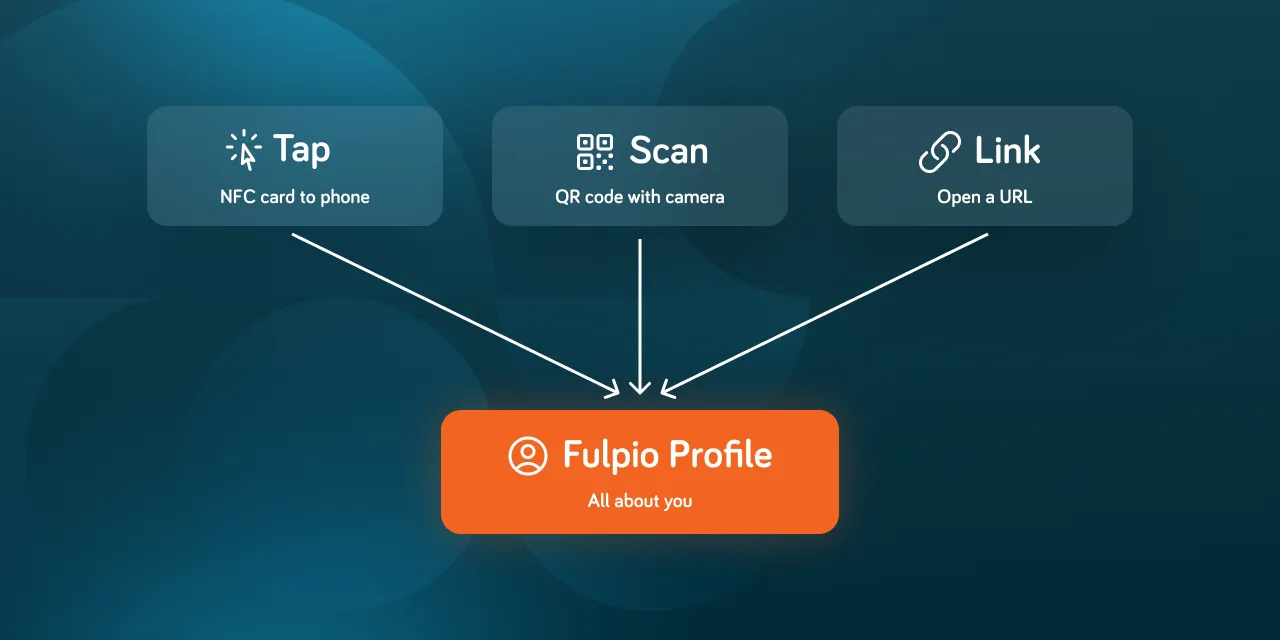
A paper business card is simple to hand over, but the information printed on it stays fixed. If your phone number, role or website changes, the card immediately becomes outdated. A digital business card solves that problem by putting your professional information into an online profile that you can update and share whenever you need.
Instead of giving someone another piece of paper, you let them open your profile on their phone. They can view your details, call you, send an email, visit your website or save your contact information in just a few taps.
A digital business card is a mobile-friendly online profile that contains the information you want to share with clients, colleagues or new contacts. It usually includes your name, job title, phone number, email address, website and social media profiles. It can also include content that would never fit on a traditional card, such as videos, image galleries, maps, booking links or contact forms.
It is important to understand that a digital business card is not just a picture of a printed card or a PDF attachment. It lives at its own web address. Because the information is stored online, you can change it without creating a new QR code, ordering another NFC card or sending everyone an updated file.

You begin by adding your basic details and choosing how the profile should look. You can start from a template or create your own design, then arrange the content around what matters most to your work.
The profile has its own URL that can be opened in a web browser. A unique QR code points to that address, allowing another person to scan it with their phone camera instead of typing the link manually.
In person, you can show the QR code on your phone or use an NFC card, wristband or tag. Online, you can send the link in a message, add it to an email signature or place the QR code in a virtual meeting background.
After tapping, scanning or opening the link, the recipient sees your profile in their browser. They can interact with the information immediately and save your contact details to their phone. They do not need to create a Fulpio account just to view your profile.
In Fulpio, all of these sharing methods connect to the same digital profile with QR code and NFC. When you edit the profile, the updated information appears wherever that link, QR code or paired NFC device is used.
A useful profile should make the next step obvious. Start with the information almost everyone expects: your name, role, company, phone number, email address and website. Then add only the content that helps your specific audience.
A freelancer might include a portfolio and booking link. A real estate agent could add current listings, a video tour and office location. A personal trainer may prefer social media, a map and a button for scheduling a session. Businesses can also use galleries, forms and clear calls to action to turn a new contact into an inquiry.

Not exactly. The digital business card is the online profile that holds your information. An NFC business card is a physical device used to open that profile. When you tap it against a compatible phone, the chip tells the phone which web address to open.
You can therefore use a digital business card without buying any physical device. A QR code or direct link is enough. An NFC product simply makes sharing faster and creates a more natural in-person experience. Fulpio offers several NFC cards, wristbands and tags for people who want one-tap sharing alongside the QR code and link.
The main advantage is that your information can stay current. You edit the profile once, and anyone who opens it later sees the latest version. There is no need to reprint a stack of cards after changing your job title or phone number.
A digital profile is also more flexible than paper. You can share it in person, during an online meeting or inside an email. Visitors can interact with the content instead of copying details manually. Depending on the features you use, you may also collect contact information or see how people interact with the profile.
No. The person receiving your digital business card normally opens it in a standard mobile browser. They do not need the same app and do not need to register before they can see your information.
NFC availability varies by phone model, but the QR code and profile link provide a practical fallback. You can check the maintained NFC compatibility guide when you want to confirm how tapping works on a particular iPhone or Android device.
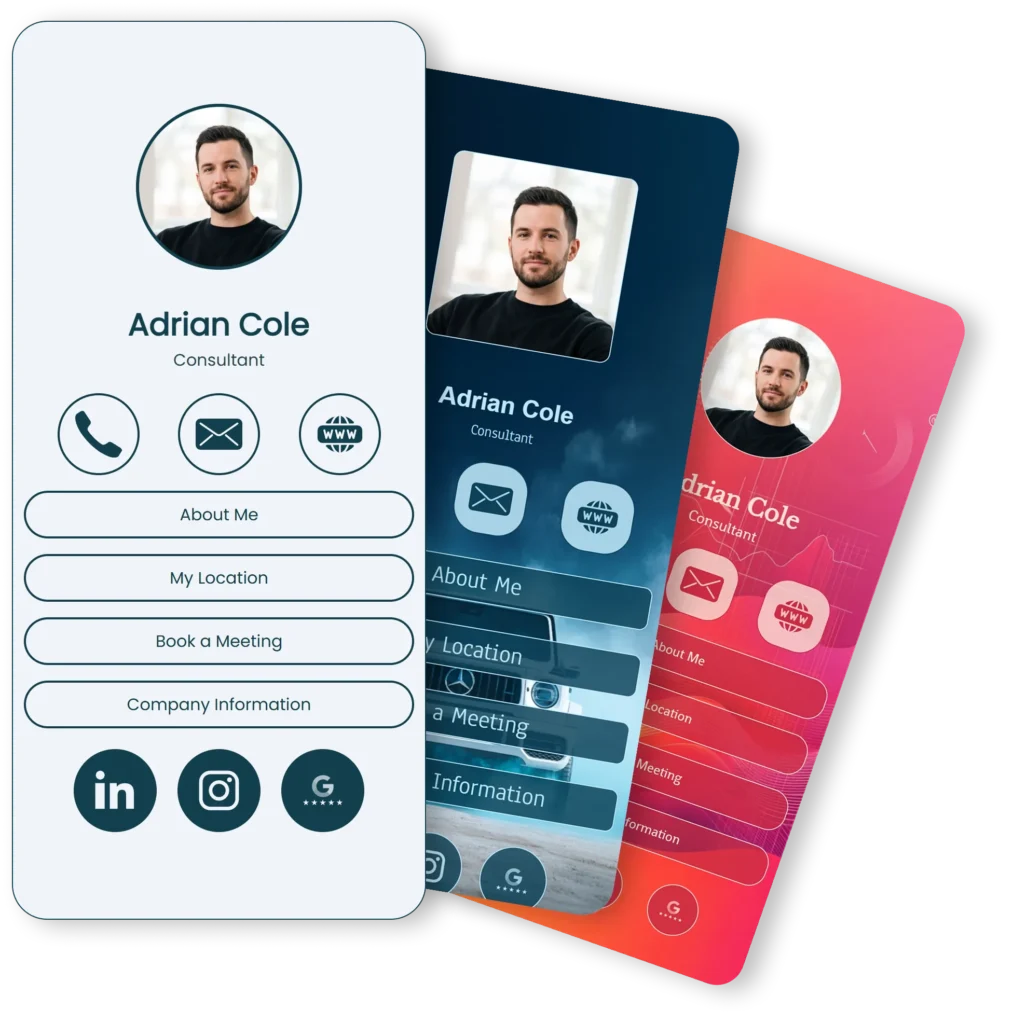
Start by deciding what the profile should achieve. Do you want people to call you, book a meeting, view your work or follow your social media? Once the main action is clear, choose a design, add your essential details and test every link.
With Fulpio, you can choose from ready-made digital business card templates or start with a blank profile. Customize the colors, images, fonts and sections, preview the result on mobile, and then share it using the method that fits the moment.
A digital business card turns a static exchange of details into an ongoing connection. It gives people one place to find your current contact information, important links and the content that represents your work.
Whether you share it with a tap, a scan or a simple link, the destination stays the same. Create your free Fulpio profile and make sure your next contact receives information that will still be useful tomorrow.
Create your digital business card for free. Forever.
And show the world more than just a contact.
